A good lead is gone in 2–3 minutes. Buy it before it is.
IndiaMART has far more sellers than buyers, so the leads worth having don't survive long enough for you to log in and buy them. This extension buys the ones matching your filters the instant they land, then rings every phone on your account until someone picks up.
Runs quietly in the background — keep using your PC · Your own Google Sheet, not ours
Few buyers on IndiaMART, for most categories
How long a good lead survives before it's bought or gone
Typical time from lead landing to your first call, buying manually
What actually changes
Same lead, same buyer. The only thing that moves is how fast you're on the phone.
Manual, today
With Lead Notifier
10–15 minutes to first call → 1–2 minutes
Your filters buy the lead. You don't have to.
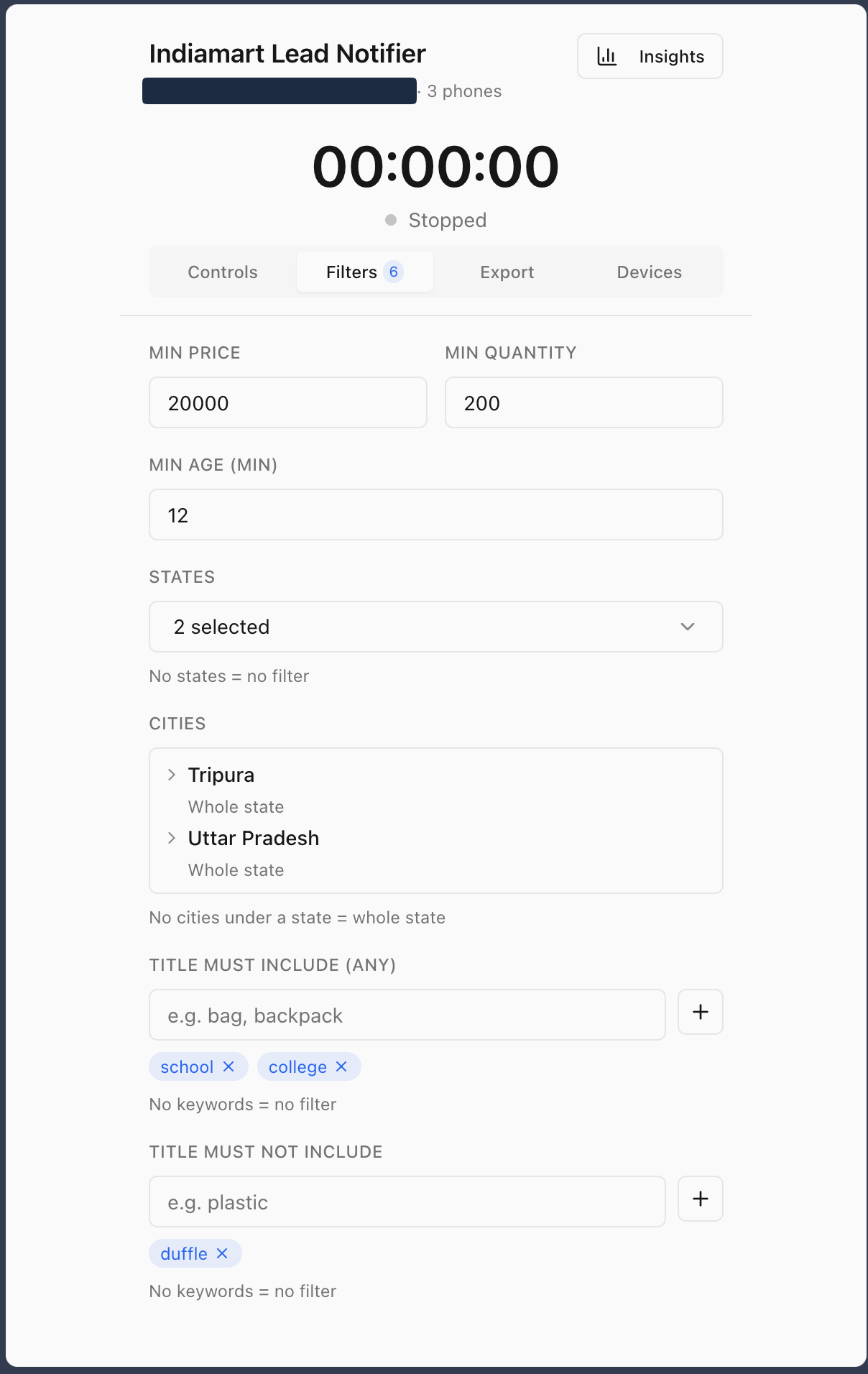
Set what a lead has to look like once, and the extension buys anything matching it the moment it appears — no logging in, no refreshing, no racing other sellers by hand.
- Min price, min quantity, min lead age
- States and cities — or leave it open to all of India
- Title must / must not include specific keywords
Runs in the background of your existing browser — the PC stays yours to use.
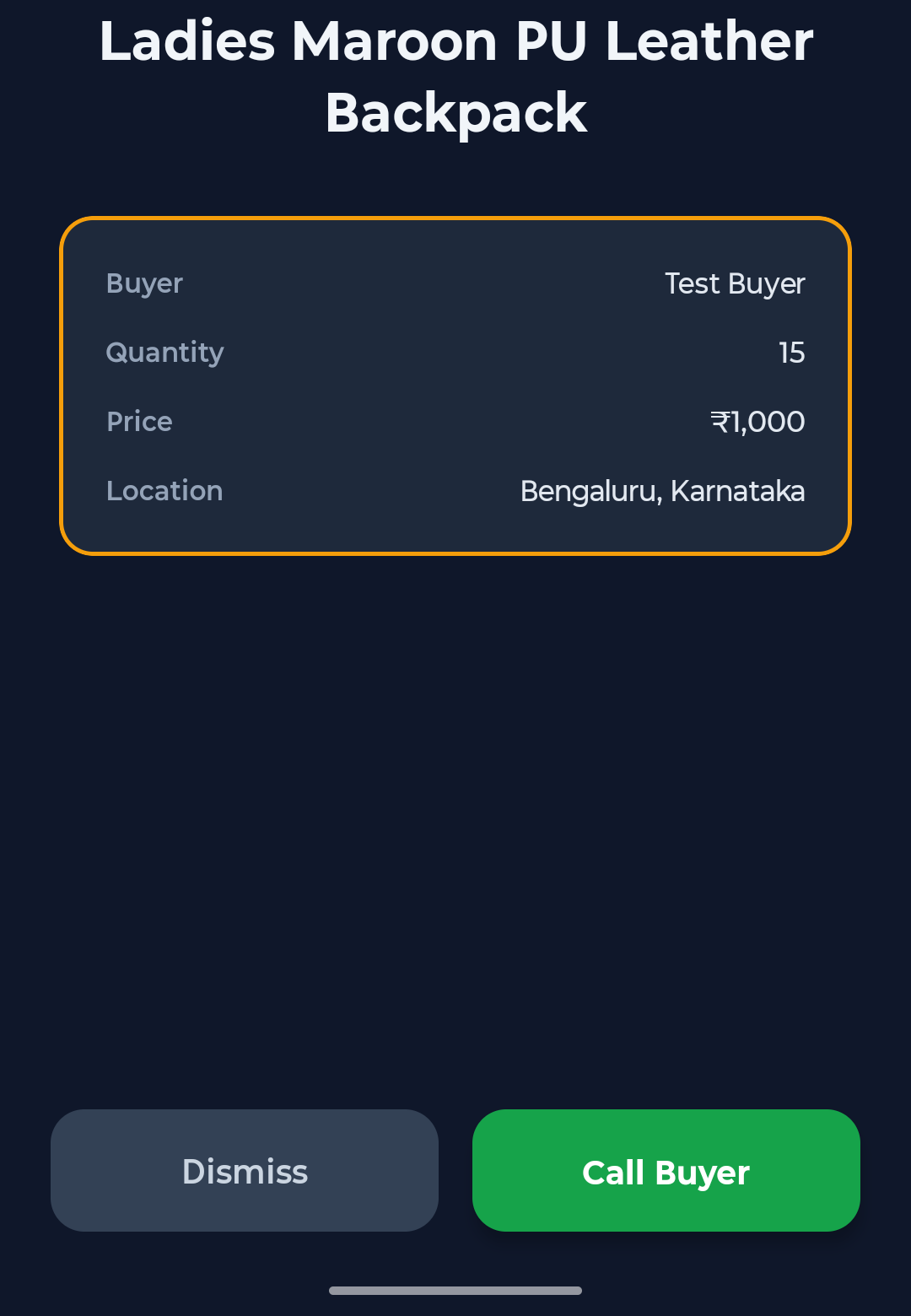
Every connected phone rings. Not a ping — a call.
The moment a lead is bought, all connected phones on the account get a full-screen alert that rings like an incoming call until it's dismissed. Buyer, quantity, price, and location are already on the screen — nothing to look up before you dial.
- Rings on every connected phone at once, not just one
- Full lead details in the alert — Call Buyer is one tap away
- Whoever's free picks it up first
See what you're offered, not just what you buy.
Every lead you're offered and every lead you actually buy is logged to your own Google Sheet — not ours. The dashboard turns that into a plain read on where the good leads come from, so you can tune your filters instead of guessing.
- Leads received vs. leads bought, by category and time
- Built from the extension's own Insights and Export tabs
- Data lives in your Drive — yours to keep if you ever leave
Illustrative — your dashboard reflects your own leads.
Get covered in three steps
Desktop and phone, set up once.
Add to Chrome
Install the extension and sign in with your IndiaMART account.
Set your filters
Tell it what a lead worth buying looks like — price, quantity, state, keywords.
Connect your phones
Add every phone that should ring when a lead is bought — yours and your team's.
Simple pricing
Try everything free. Pay only once it's earning you leads.
15-day free trial
- Automatic lead buying on your filters
- Phone alerts on every connected device
- Full lead analytics dashboard
After the trial, pricing is custom — based on your lead volume and device count. Email us for a quote.
Frequently asked questions
Can I keep using my PC while it's running?
Yes. The extension runs in the background of your browser — it doesn't take over your machine or need it idle.
What happens to leads that don't match my filters?
They're left alone — not bought. They still show up in your lead history, so your analytics reflect everything you were offered, not just what you bought.
What does "min lead age" do?
It's a floor on how old a lead can be before it's bought — useful if you'd rather skip leads that are already a few minutes stale.
Who owns the Google Sheet the data goes into?
You do. It's created in your own Google Drive, not ours — see our privacy policy for exactly what we store.
Is my IndiaMART login shared with you?
No. The extension acts on your own IndiaMART session in your browser — see our privacy policy for details.
How do I cancel?
Email us any time — we don't lock you into a contract.